
Trace route (command) is a common network diagnostic tool to debug network problems or check how data is passed through the whole network through all different kinds of computers, routers and such. A visual trace route tool, however, draws the data passage in illustrative diagrams or on a map for visionary perception graphically.
You Get Signal just offers the kind of free tracer route we need. It’s a trace router that traces and records all the IP a TCP packet is travelling on the Internet, mapping it on Google map while also printing the locations (IP) the packet of data has been through on the right.
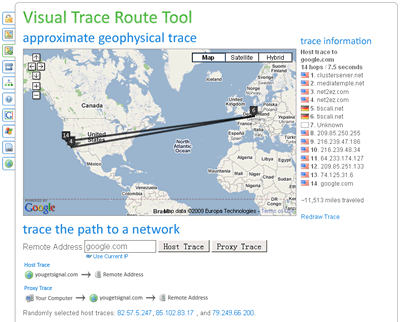
One of the interesting things this free routing tracer tool offers is that it gives the total distance the data has travelled in miles.
Visit the tool: http://www.yougetsignal.com/tools/visual-tracert/